
One workspace for your NGO’s projects, reporting and operations.
Connect project plans, field reports, approvals and operational records, so your NGO or CSO team can follow the work and find the evidence behind it.
Explore with sample data and discuss whether the current version fits your team’s needs.
- NGOs
- CSOs
- Country offices
- Regional teams
- Global programmes
Collect a result. Review it. Report the approved figure.
See who submitted the figure, who reviewed it and which project and reporting period it belongs to.
See the five review steps
-
Who acts
The project’s MEAL lead
Opens a collection link for one indicator and period.
Review and access details
A team member with the required project access creates a collection link and can revoke it later.
- Saved record
- A collection link for sharing with the field team.
- Next owner
- A field enumerator or partner
-
Who acts
A field enumerator or partner
Submits the value through the link.
Review and access details
The figure waits for review before it updates an indicator result.
- Saved record
- A pending submission with its submitter, note and timestamp.
- Next owner
- A reviewer with approval access to the project
-
Who acts
A reviewer with approval access to the project
Reads the submitted value beside the recorded actual, then approves or rejects it.
Review and access details
Only a pending submission can be reviewed. The decision records who reviewed it and when.
- Saved record
- A decision with its reviewer, timestamp and note.
- Next owner
- The system, on approval only
-
Who acts
The system, on approval only
Writes the approved value into the indicator actual for that project, indicator and period.
Review and access details
An approved figure updates the result for that project, indicator and period. Corrections replace the previous figure rather than adding to it.
- Saved record
- An indicator actual carrying the source it came from.
- Next owner
- Programme and MEAL reporting
-
Who acts
Programme and MEAL reporting
Reads the rollup across the project’s indicators.
Review and access details
Reporting excludes custom indicators that have not been approved.
- Saved record
- A rollup built only from approved indicators and accepted actuals.
- Next owner
- End of the chain.
Three ways into the same workspace.
Leadership and country directors
See how project updates, approvals and operational records fit together.
Programmes and MEAL
Follow a reported figure from submission to review and see how approved values update results.
Finance and operations
Follow a purchase request through approvals, receipt and ledger posting.
235 indicators, pre-loaded.
Start with documented indicator definitions and connected project tools. Choose the indicators, reporting periods, templates and approval roles that fit your work.
Humanitarian indicators
WASH, Health, Education, Protection, Food Security, Livelihoods, Shelter, Nutrition. Each with documented numerator, denominator, frequency and disaggregation.
Connected modules
HR · Finance · Programs · MEAL · Documents · Governance · Logistics · Donors · Field reporting. Review the workflow pages for the links and manual handoffs between them.
Interface languages
Every plan includes all nine interface languages. Coverage varies by screen; some content falls back to English. Ask us to review your team’s required workflows. Website pages, documentation, sample screens and AI responses have their own language coverage.
Find a module or task.
Browse the module reference and common tasks. Available screens and actions depend on your role, plan and the features enabled for your organization.
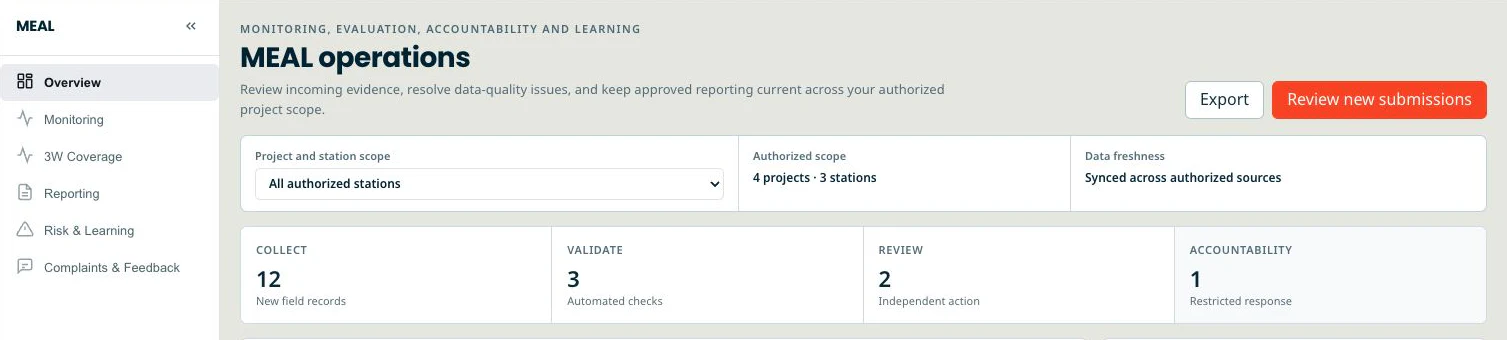
MEAL without the spreadsheet sprawl
Keep indicator definitions and project results together. Submitted indicator values enter a review queue; approved submissions update the corresponding results.
- 235 pre-loaded humanitarian indicators across 8 sectors
- Results framework + log frame in one place, with traceability
- Live dashboards filtered by camp, district, partner, donor
HR built for field staff
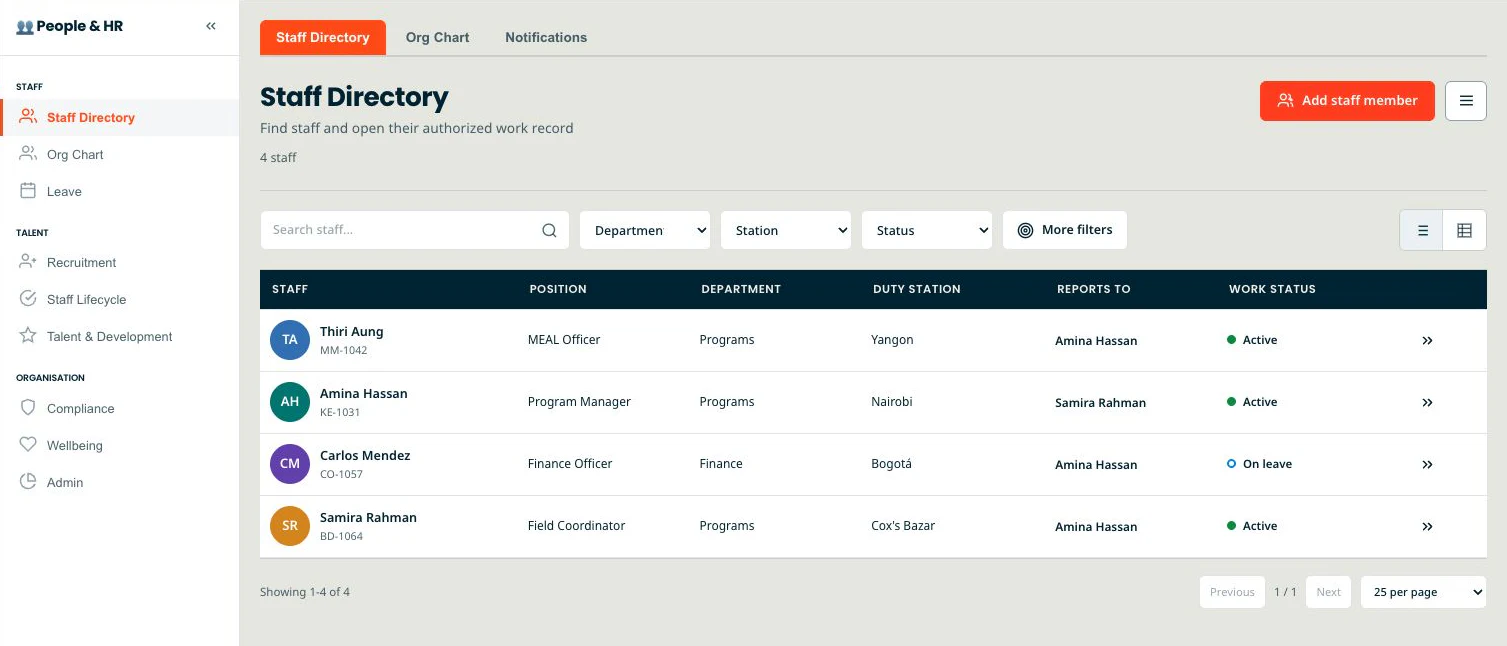
Keep staff records, leave, timesheets, compensation and safeguarding declarations together. Approved timesheets can post labour costs to the ledger; declarations record acknowledgements, not safeguarding assurance.
- Staff directory with role, duty station, line manager, contract end
- Leave types and policy caps you define, with public holidays built in
- Safeguarding declarations as a renewable record, not a one-time PDF
Project-planning tools
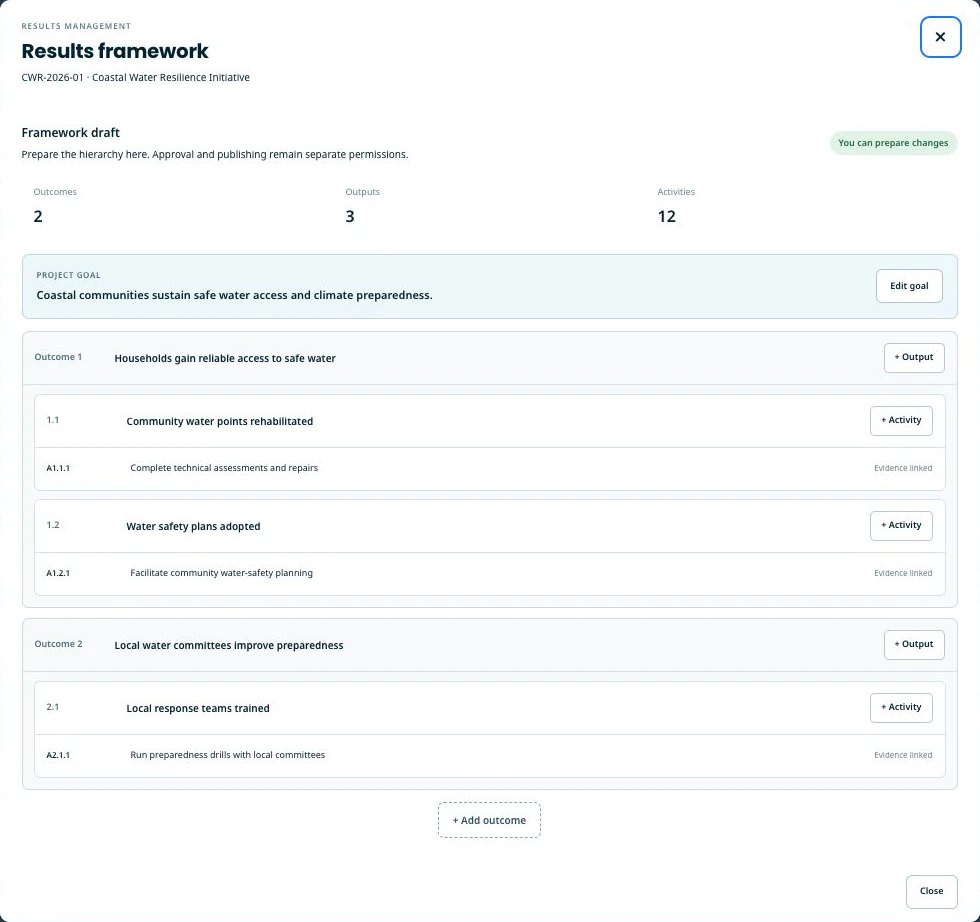
Work with problem trees, objective trees, log frames, RACI, change control and stakeholder registers alongside your project records.
- Problem tree → objective tree → log frame, linked end to end
- RACI matrix that knows about your real staff directory
- Change-control board with versioned approvals
What we can show you, and what we do not claim.
Review the security controls, known limits and data-processing information. The privacy notice explains data ownership, access, export and deletion, and how to request DPA terms. Discuss your procurement requirements with us before sharing sensitive programme data.
Last reviewed: . No third-party certification is claimed, and no audit report is implied.
What you need before you start.
Bring these with you
- Your own indicators or the ones you want from the pre-loaded library, and the periods you report on.
- Your report and form templates, in the shape you already use them.
- A staff list, and a decision about who approves what — the approval chains follow your roles, not ours.
What support covers
Email support and a walk-through with someone who knows the product. Data migration, template rebuilding and role design are work you do, with our help on the parts that touch the product.
We do not quote a setup duration. How long it takes depends on how settled your indicators, templates and approval roles already are.
What does your team need to connect?
Use these questions to review your current tools and discuss the workflows, limits and handoffs that matter to your team.
- Existing collection tools
- Which forms and collection tools do you use? Review how indicator values will enter EMPOBase; this workflow does not include a live third-party collection connector.
- Statutory accounts
- Review the project ledger alongside your accounting process. Local tax, statutory payroll and country-specific filings remain outside EMPOBase.
- Field connectivity
- Field reporting is online. Offline capture and sync are not promised; discuss the connections your team can rely on.
- Languages
- Language coverage varies by screen. Review your required workflows, documents and AI responses in the languages your team uses.
- Approval rules
- Bring your approval roles and amount thresholds. Review how they map to project access and the configured approval steps.
- Exports and reporting
- List the files, formats and reporting requirements you need. Confirm the current version and plan support them before choosing a plan.
Honest pricing for honest budgets.
Free forever for solo M&E consultants. Paid tiers from $49/month when your country office grows. Annual saves you two months. No inflated list rate, no enterprise upcharge for humanitarian teams.
Prices exclude tax (VAT/GST/sales tax where applicable).
FAQ.
How is EMPOBase different from existing tools?
EMPOBase brings project planning, MEAL, people, finance, logistics and organizational records into one workspace. Use the workflow pages to review how records connect, where a separate approval or manual handoff is needed, and whether the available tools fit your team.
Can I move my existing field-data forms in?
The pricing comparison lists manual field-data import for Starter and Team, and automated import for Pro and Enterprise. Review a sample export with us before planning a migration; confirm supported formats, field mapping and historical-data handling for your deployment.
What languages?
All plans, including Free, include nine interface languages: English, Myanmar, Arabic, Spanish, French, Portuguese, Indonesian, Swahili and Russian. Translation coverage varies by screen, and some content appears in English. Website pages, guides, sample screens and AI answers have separate language coverage. Review the workflows your team needs with us.
Where is the data stored?
Google Cloud (Singapore). Enterprise can run on an instance dedicated to one organization; pinning data to a specific region (e.g. EU residency) is on our roadmap.
Can I get a dedicated instance?
Yes — that is the Enterprise tier. A deployment dedicated to one organization, your own URL, single sign-on that we provision for you under the agreement (it is not self-serve), your own AI provider key, and a custom DPA. (Pinning data to a specific region is on our roadmap.)
Who is EMPO?
EMPO Training & Consultancy Services is the organization behind EMPOBase. EMPO provides training, consultancy and digital services; EMPOBase is its software product. See About for the distinction between the services and the product.
Start with a sample project.
Request a walk-through using sample data. Review your workflows, language needs and setup requirements before bringing operational data into a workspace.