

Nine modules that write to the same records
Most humanitarian teams do not lack tools. They lack one place where the requisition, the receipt, the report and the result refer to the same project. That is the whole proposition here — not the number of features.
What every module has in common
The parts that make it one system rather than nine apps behind one login.
One organisation boundary
Every record is scoped to your organisation, and access inside it is granted as capabilities — not job titles. A grant that admits you to a module does not hand you every project in it.
One project spine
Budgets, orders, receipts, reports and indicators all hang off the same project. That is what makes a chain reconstructable later without anyone remembering it.
Decisions are records, not states
Approvals, reviews and rejections are stored with who acted, when, and what they wrote — separately from the thing they acted on. A current status tells you nothing about how it got there; the record does.
Your authority matrix, not ours
Approval chains and amount thresholds are configured per organisation. EMPOBase enforces the chain you set; it does not ship a donor policy or a statutory one.
What each module holds
These are the in-app module names and their real contents — not a marketing taxonomy invented for this page.
People & HR
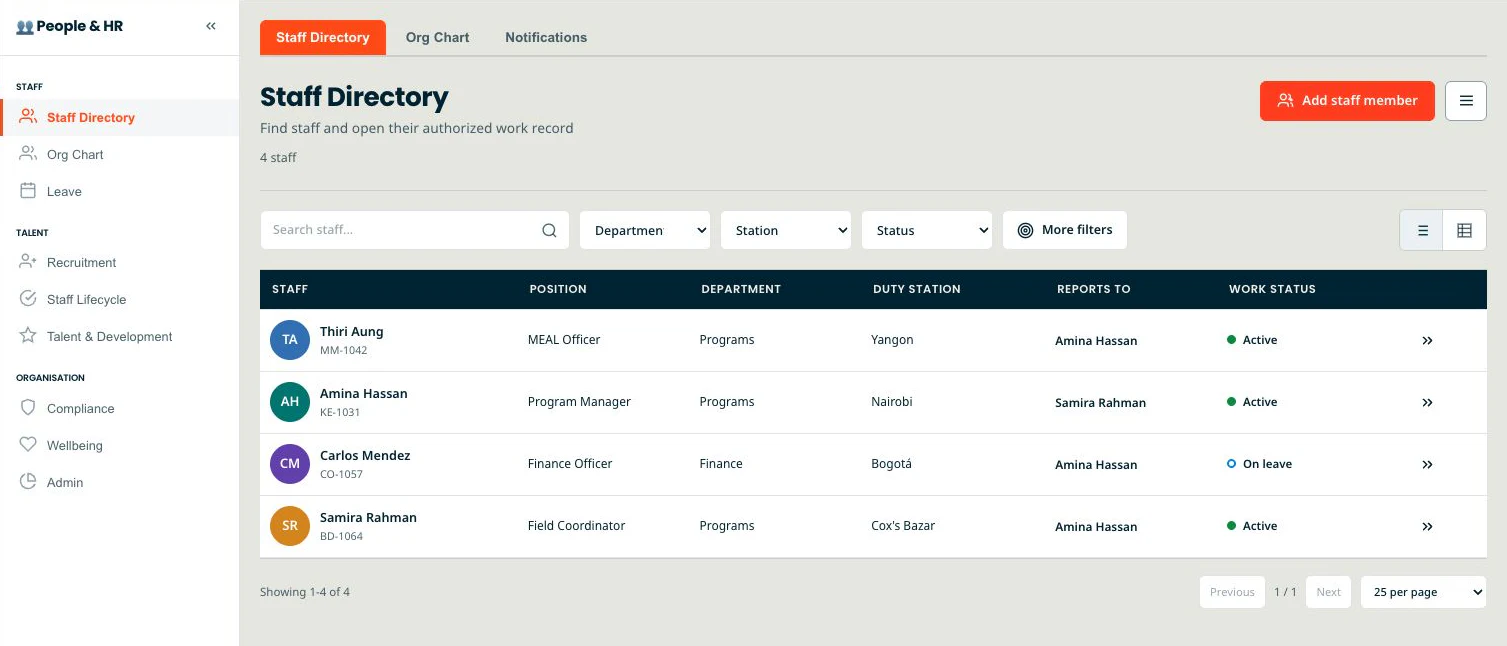
The whole employee lifecycle, safeguarding-first.
- Staff Directory
- Recruitment Pipeline
- Onboarding
- Leave & Compensation
- Performance Management
- Learning & Training
Worth knowing Safeguarding & PSEA and Duty of Care are built in — not bolted on.
Finance
Grant-ready fund control around your ledger — not your statutory books.
- Payment Requests
- General Ledger
- Budget vs Actual
- Grant Finance
- Restricted Funds
- Cash Management
Worth knowing Cash Management spans Balances · Accounts · Movements · Reconciliation · Pay Requests.
MEAL
Results, coverage and accountability in one loop.
- Monitoring
- 3W Coverage (Who does What Where)
- Reporting
- Risk & Learning
- Complaints & Feedback (CFM)
Worth knowing A 235-indicator library and results frameworks tied to Programs.
Programs · Project DPro
The Project DPro lifecycle, field to donor.
- Programs
- Projects
- Donors
- Project Charter
- RACI
- Field Operations
Worth knowing The Project DPro toolkit with RACI and change control, from charter to After Action Review.
Logistics & SCM
Procurement, inventory and assets with real controls.
- Procurement
- Goods Receipt Notes
- Inventory
- Reorder Alerts
- Assets
- Vendors
Worth knowing Procurement routes approvals through L1–L5 Degree-of-Authority levels.
Documents · Knowledge Hub
One searchable home for every file and template.
- Global Search
- Project Files
- Templates Library
- Pending Review
- Expiry Tracker
- Spaces: Foundational · Strategy & Planning · Finance · People & HR · Operations · Programs & MEAL
Worth knowing Expiry Tracker plus a Pending Review workflow keep documents from going stale.
Governance & Compliance
Board, risk and compliance in one register.
- SMC Management
- Risk Register
- Risk Heatmap
- Conflict of Interest
- Whistleblower
- Compliance Tracker
Worth knowing SMC decisions, the Risk Register, Conflict of Interest and Whistleblower live side by side.
Donors & Audit Portal
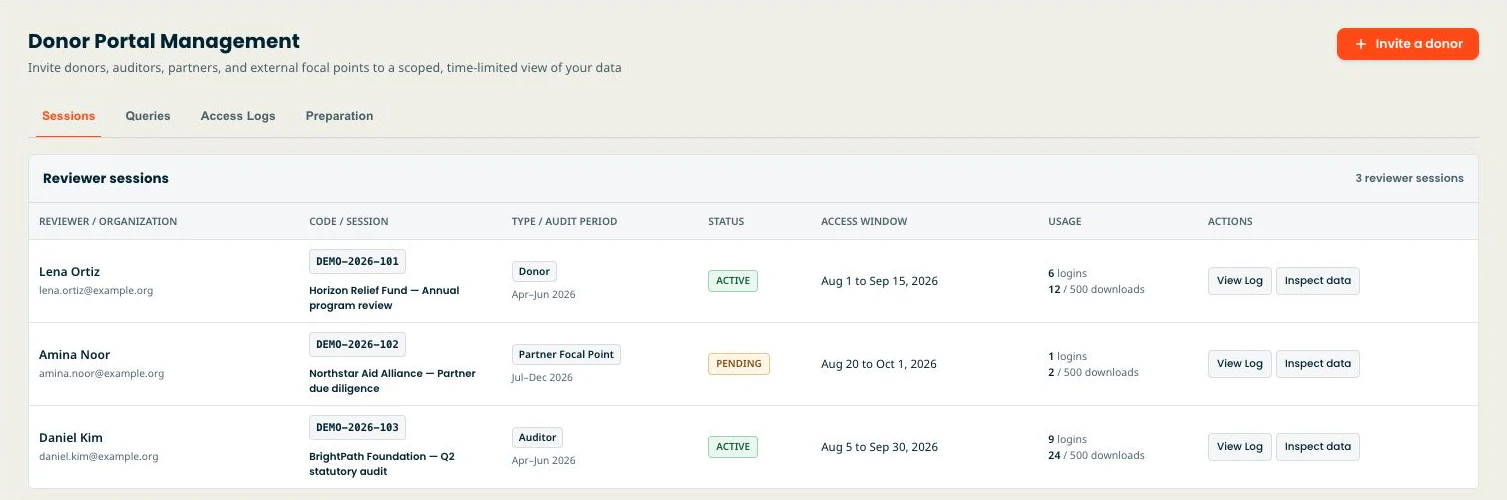
Give donors and auditors their own scoped, read-only window.
- External access Sessions
- Queries
- Access Logs
- Preparation
- Donor / audit portal seats per plan (1 → 5 → 15 → unlimited)
Worth knowing Every external session is scoped, logged and read-only — auditors see exactly what you share, nothing else.
Field Reporting
Capture field data even without accounts.
- Field Operations
- SitReps
- Beneficiary Registry
- Collection links (no-account shareable field data + review queue)
- Incident reports
Worth knowing Collection links stage field submissions for review — only approved ones become MEAL actuals.
The two chains worth reading in full
A module list tells you what exists. These tell you what happens — who acts, what is enforced, and what is not.
From a field submission to a result you can report
Numbers arrive from the field faster than anyone can check them — and once they are in a spreadsheet, nobody can tell which ones were reviewed.
- Opens a collection link for a project indicator and period
- Submits the value for that indicator and period through the link
- Reads the submitted value beside the current recorded actual, then approves or rejects it — with a note
- Writes the approved value into the indicator actual for that project, indicator and period
- Reads the rollup across the project’s indicators
From a requisition to a posted, balanced journal
The order, the goods and the payment each live somewhere else, so by the time an auditor asks, the chain has to be reassembled from memory and email.
- Raises a requisition against a project and budget line
- Issues the purchase order to an eligible vendor
- Records what physically arrived against that order
- Approves the payment request, advancing it one step
- Posts one balanced journal for the approved request
Where the seams still are
Published here rather than discovered in month three.
- EMPOBase keeps a double-entry ledger with period locks, reversal entries and multi-currency around your projects and awards. It does not compute local tax or statutory payroll, and it does not produce country-specific statutory filings; those stay with your accountant.
- Goods receipt and stock on hand are separate actions. Receiving against a purchase order does not move inventory today.
- Field reports and indicator results are separate records. Narrative reports have their own review chain and never write an indicator actual.
- Accounting periods lock; MEAL periods do not. A later approval can still replace a result in a period you have already reported on.
- EMPOBase does not move money. It records authority, receipt and posting — not settlement, and not a bank transfer.
- The interface is fully translated in English and Burmese. The other seven languages are partial and fall back to English where a translation is missing; a handful of pages, including this one, are English and Burmese only.
What you are looking at
The screens below are captures of the current application running on synthetic seed data — no real organisation, staff member or beneficiary appears anywhere on this site. Where a screen has not been captured, this page uses a drawn illustration or plain text, and says which.
See it with your own sample project
A free workspace comes set up — indicator library, project tools and the full module tree. Nothing here needs a card, and there is nothing to uninstall if you decide against it.